Fasting timer for iPhone
Intermittent fasting tracker: know when you can eat again
Pick a plan from 12:12 to one meal a day and start the timer when you finish eating. Sablo shows your goal time, marks your eating window on a 24-hour dial and reminds you when you get there.

Free to download. Using Sablo requires Premium: a monthly subscription that starts with a 7-day free trial for new subscribers and renews until you cancel, or a one-time lifetime purchase.
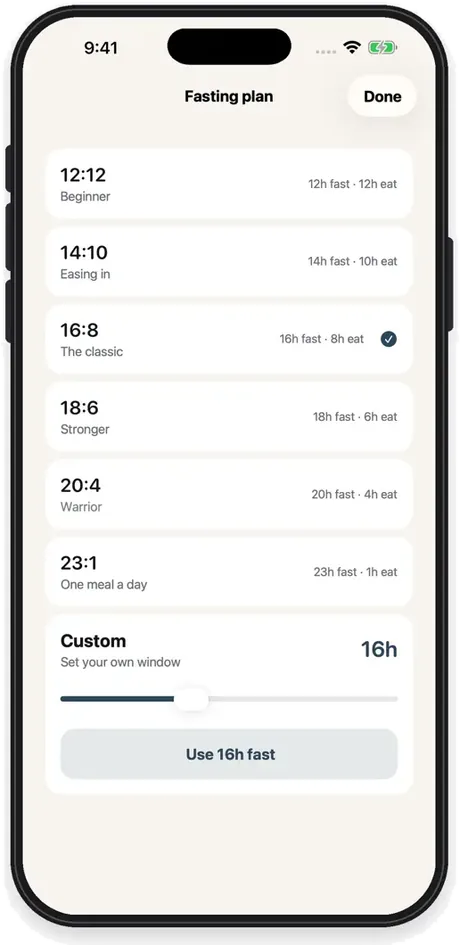
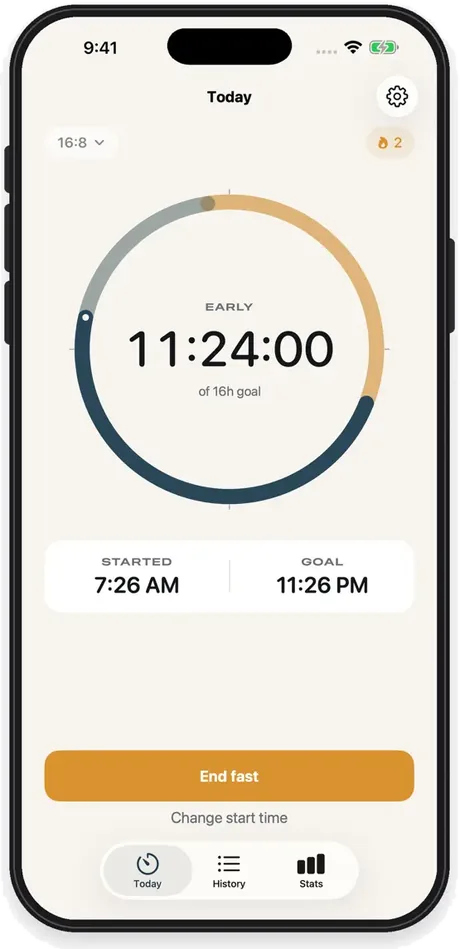
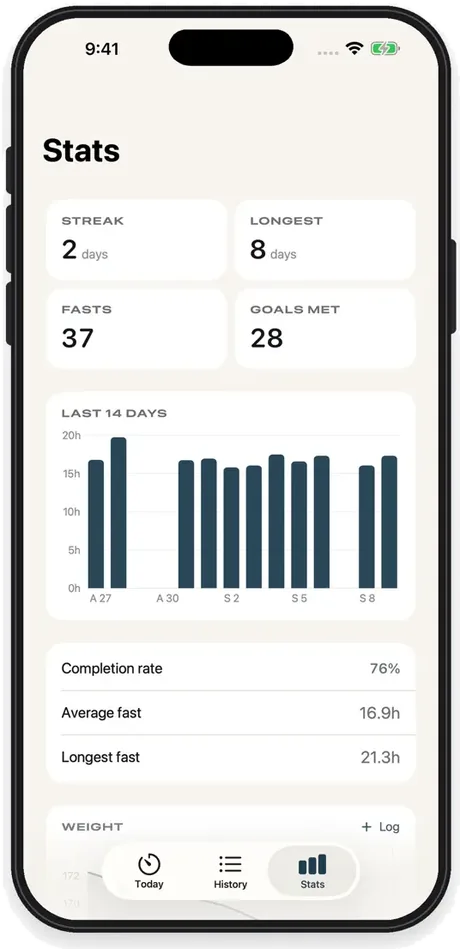
Illustration of the app flow, using the App Store screenshots.
- 12:12, 14:10, 16:8, 18:6, 20:4 and 23:1 plans, or a custom fast of 4 to 36 hours
- No account and no sign-up. Your fasts stay on your iPhone.
- iPhone · iOS 17 or later · 18 languages
What it is
What is Sablo?
Sablo is an intermittent fasting tracker for iPhone. It times fasts on 12:12, 14:10, 16:8, 18:6, 20:4 and 23:1 (one meal a day) plans or a custom length, shows your goal time and eating window, reminds you when you reach your goal, and keeps an editable history with streaks, stats, weight and widgets. It is free to download; using it requires a monthly subscription, which starts with a 7-day free trial for new subscribers, or a one-time lifetime purchase. Your fasts and weights stay on your iPhone.
How it works
How it works
Choose a plan
Pick 16:8, 18:6 or another schedule, or set your own length.
Start the timer
Start when you finish eating and watch the hours count up to your goal.
See your progress
Streaks, goals met and a 14-day chart show how your fasts are going.
What you can do
What you can do with Sablo
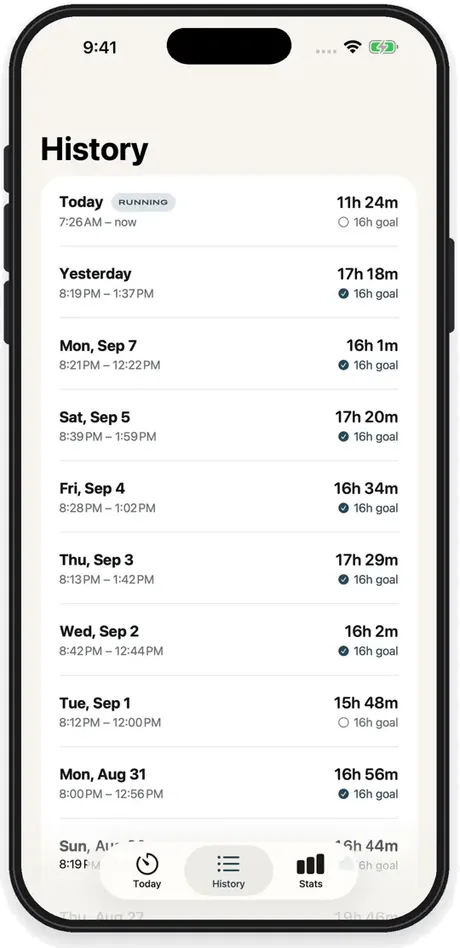
A timer for every fast
A ring fills as the fast runs, with your start time, goal time and the hours so far. Forgot to tap start? Change the start time afterwards and the fast still counts.
History you can edit
Every fast is kept with its start, end and goal. Edit the times or delete a fast that was logged by mistake, as far back as your history goes.
Streaks and stats
See your current and longest streak, fasts completed, goals met, completion rate, average and longest fast, and a chart of the last 14 days.
Six plans or your own
Choose 12:12, 14:10, 16:8, 18:6, 20:4 or 23:1, or set a custom fast from 4 to 36 hours. Each plan shows its fasting and eating hours.
Why choose Sablo?
A fasting timer that does one job well: it tells you where you are in the fast and when you can eat, without an account.
Reminders that fit your window
Get a notification when you reach your goal and another 15 minutes before your eating window closes. Either can be switched off in Settings.
Widgets and Live Activity
Follow the fast from Home Screen and Lock Screen widgets, or from the Live Activity on the Lock Screen and in the Dynamic Island.
Weight, with Apple Health
Log your weight and see the trend next to your fasts. Optional Apple Health sync reads and writes body weight only.
Private by design
No account, no sign-up and no ads. Your fasts and weights never leave your iPhone, and you can export them as CSV at any time. Only purchases are reported, to the payments service RevenueCat.
See it in action
The facts
Sablo at a glance
| Name | Sablo (App Store name: Fasting Tracker - Sablo) |
|---|---|
| Platform | iPhone, iOS 17 or later |
| Price | Free to download; using the app requires Sablo Premium. Monthly: a 7-day free trial for new subscribers, then $7.99 a month in the US, renewing until you cancel. Lifetime: $19.99 once in the US, never renews. Prices vary by country; both unlock the same features. |
| Fasting plans | 12:12, 14:10, 16:8, 18:6, 20:4, 23:1 (one meal a day) and custom fasts of 4 to 36 hours |
| Languages | 18 languages, following your device language or chosen on the app's first screen |
| Data and privacy | No account. Fasts, weights and settings are stored only on the iPhone and are never uploaded. Payments are processed by Apple; purchase and renewal events (never anything you log) are reported to RevenueCat for sales statistics. |
| Age rating | 12+ on the App Store |
Quick answers
Frequently asked questions
Is Sablo free?
Sablo is free to download, but using it requires Sablo Premium. The monthly subscription starts with a 7-day free trial for new subscribers and then renews every month until you cancel it in your Apple Account settings (at least 24 hours before the period ends). The lifetime option is a one-time purchase that never renews. Both unlock the same features, and prices are shown in the App Store for your country.
How does an intermittent fasting tracker work?
You choose a schedule such as 16:8 (16 hours fasting, 8 hours eating) and start the timer when you finish eating. Sablo counts the hours, shows the time you reach your goal and your eating window opens, and saves the fast to your history when you end it.
Which fasting plans does Sablo support?
12:12, 14:10, 16:8, 18:6, 20:4 and 23:1 (one meal a day), plus a custom fast from 4 to 36 hours. You can switch plans at any time; each fast keeps the goal it was started with.
Can I fix a fast I logged wrong?
Yes. You can change the start time of a running fast, and edit the start or end time of any past fast in History, or delete it.
Is intermittent fasting safe for everyone?
No. Health services such as healthdirect advise against intermittent fasting without medical advice for people who are pregnant or breastfeeding, under 18, underweight or older, have or have had an eating disorder, or take daily medicine that must be taken with food. People with diabetes treated with insulin or other glucose-lowering medication, and anyone having cancer treatment, should talk to their doctor first. Sablo is a timer and a log, not medical advice.
Is there an Android or Apple Watch version?
No. Sablo is an iPhone app (iOS 17 or later). There is no Android version and no Apple Watch app; on iPhone you can follow a fast from widgets and the Live Activity.
Which languages does Sablo support?
English, Danish, Dutch, French, German, Italian, Japanese, Korean, Polish, Portuguese (Brazil and Portugal), Romanian, Spanish, Swedish, Thai, Traditional Chinese, Turkish, Ukrainian and Vietnamese. It follows your device language, and you can also choose one on the app's first screen.
Where is my data stored?
On your iPhone only. There is no account and your fasts and weights are never uploaded, so nothing is synced between devices. If iCloud Backup is on, the data is included in your device backup, and you can export your fasts and weights as CSV.

Time your next fast
Download Sablo for iPhone. New subscribers start with a 7-day free trial.